A tour of LandlordKit
Every screen below is the real product, photographed at 1440px and at 390px in both themes. The portfolio is invented: a few buildings in Kitchener and Waterloo, and not one real tenant. Read it in order and you have seen the whole app.
Every morning
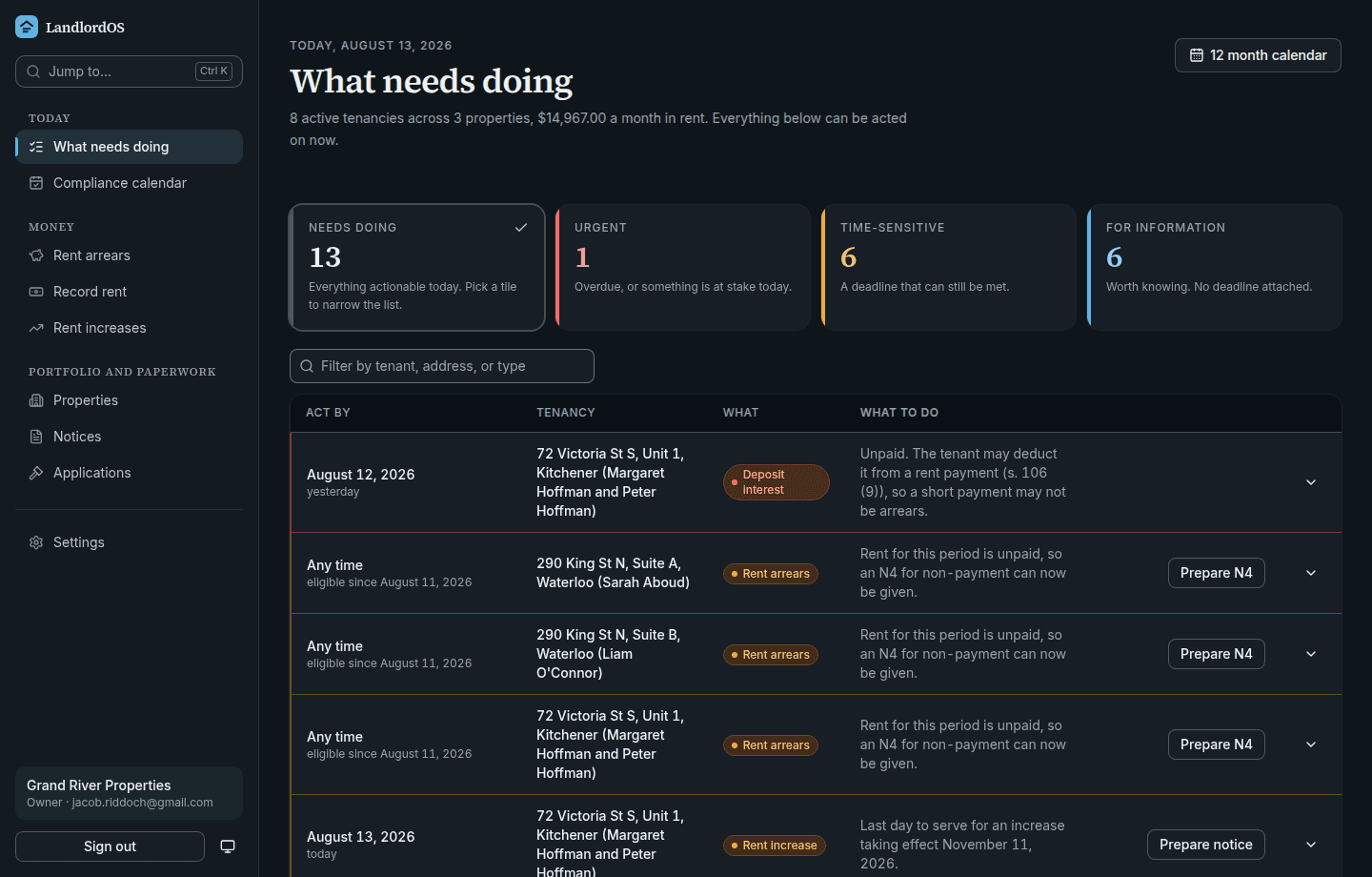
What needs doing, most urgent first
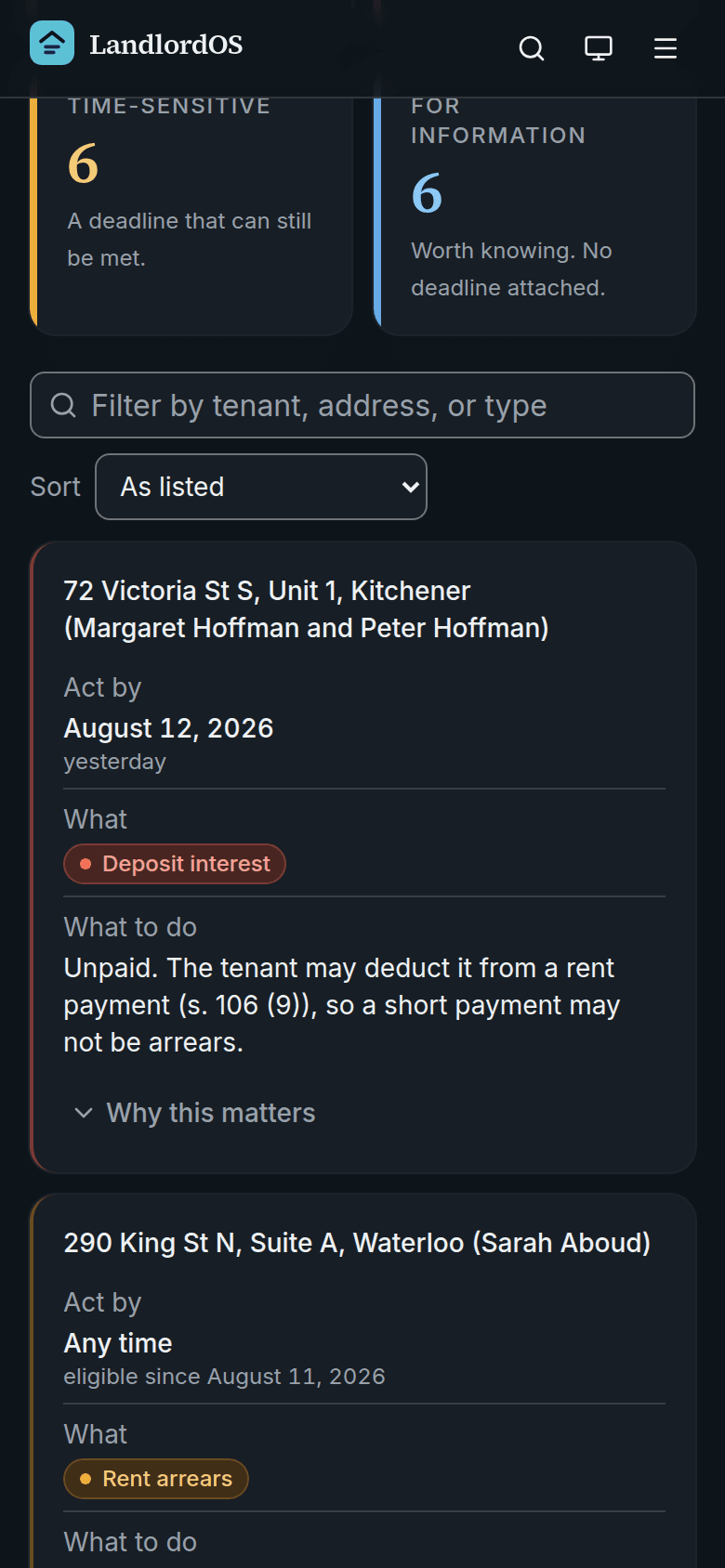
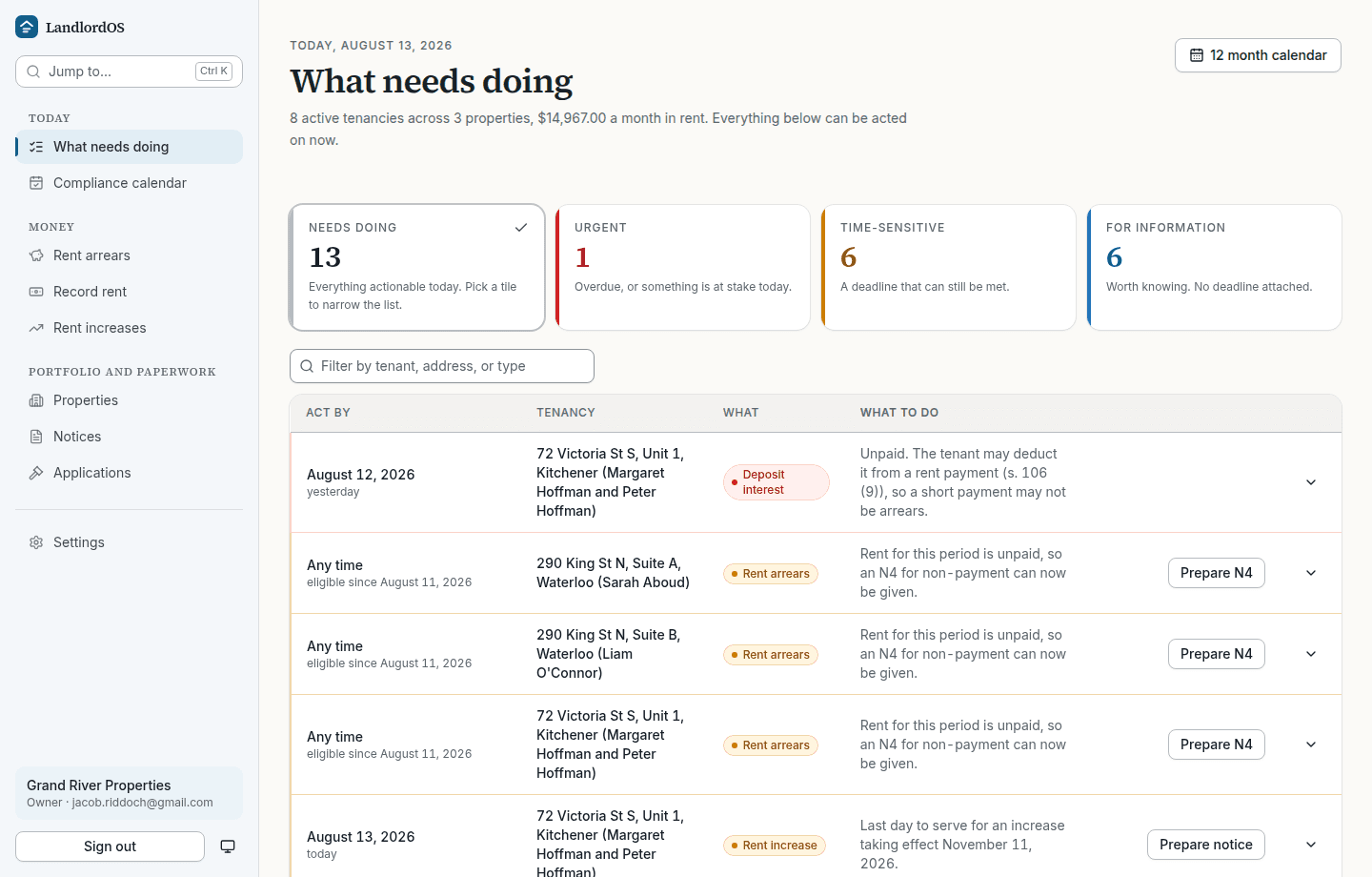
This is what you land on. Not a calendar of everything that will ever happen, but the things that can be acted on today, ordered by what is at stake, each with the button that resolves it sitting on its own row.
The tiles above filter the list rather than describing it. In this fictional portfolio one rent increase has to be served today to reach its anniversary, two tenancies are in arrears, and a standard lease is due in a week. Rows that say "any time" are opportunities rather than deadlines, and they say so instead of pretending you have missed something.
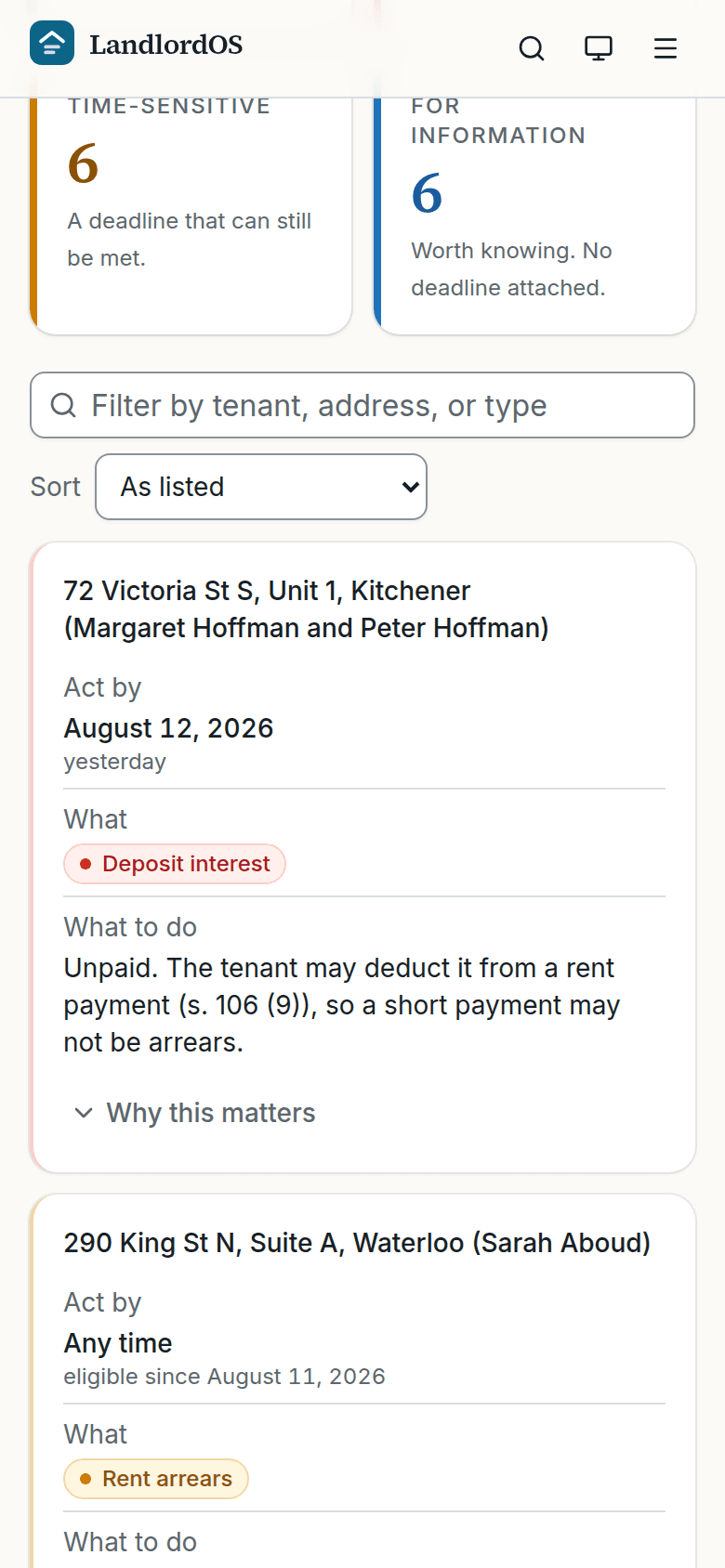
What needs doing. Everything actionable today, most urgent first, with the action that resolves it on the row. When the rent does not arrive
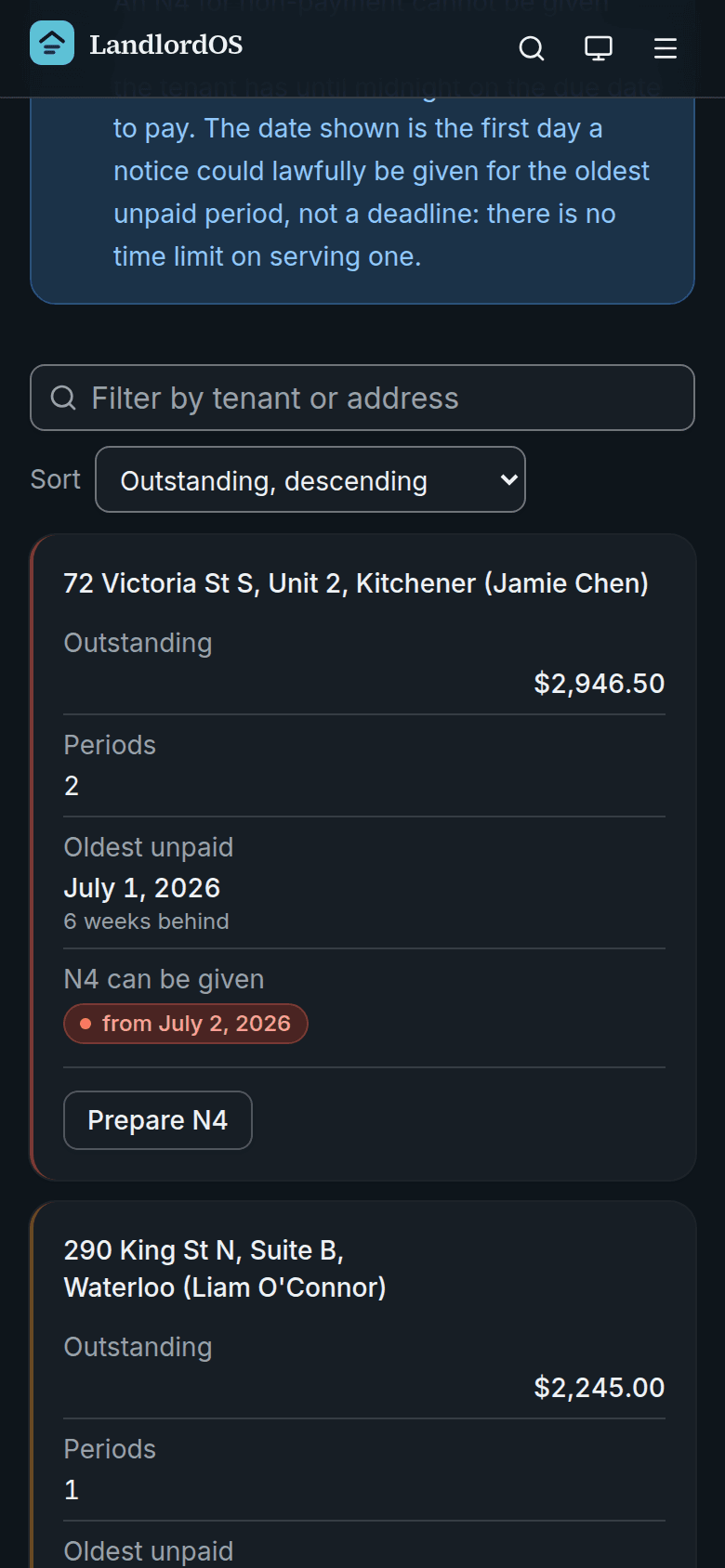
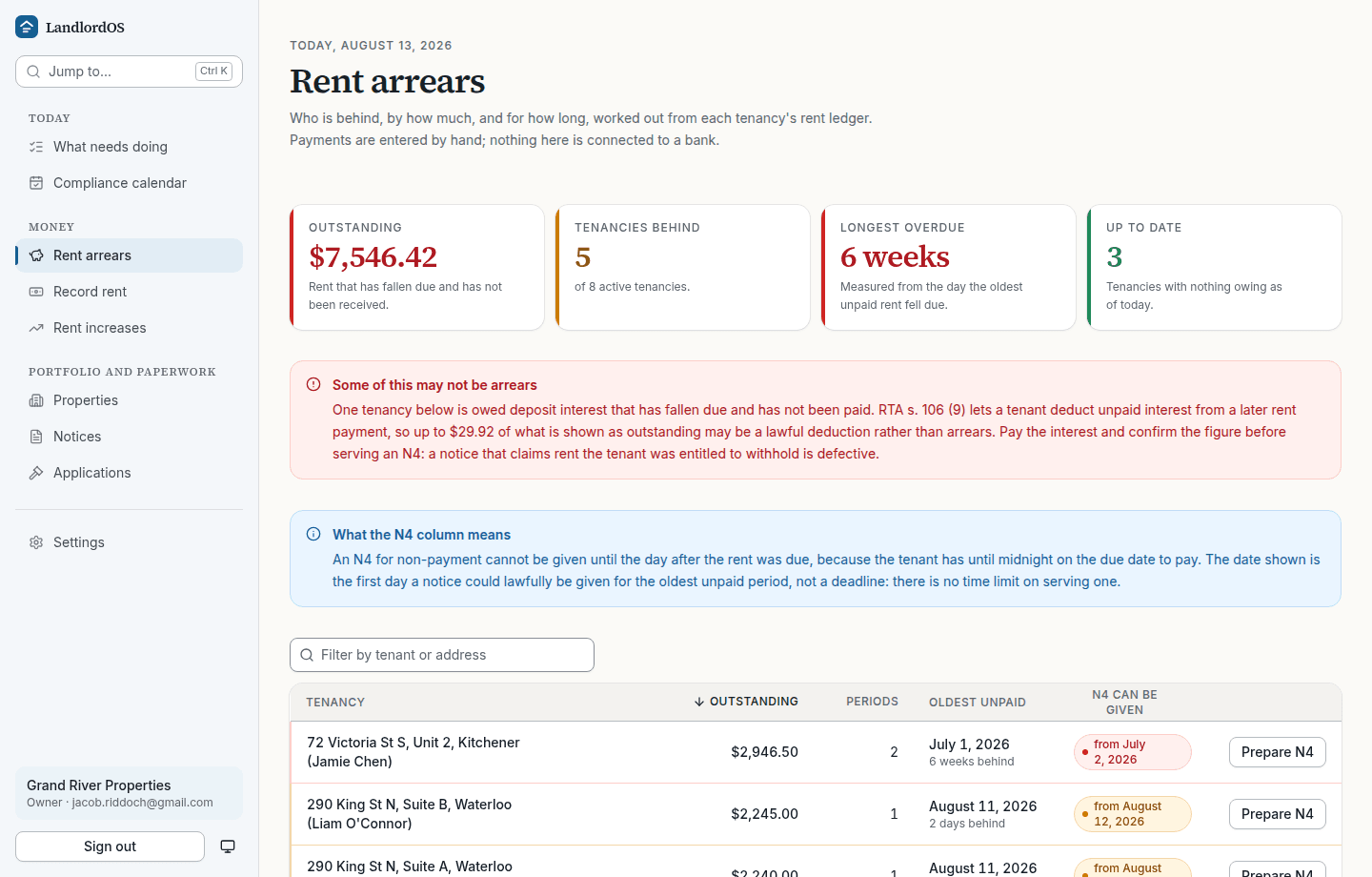
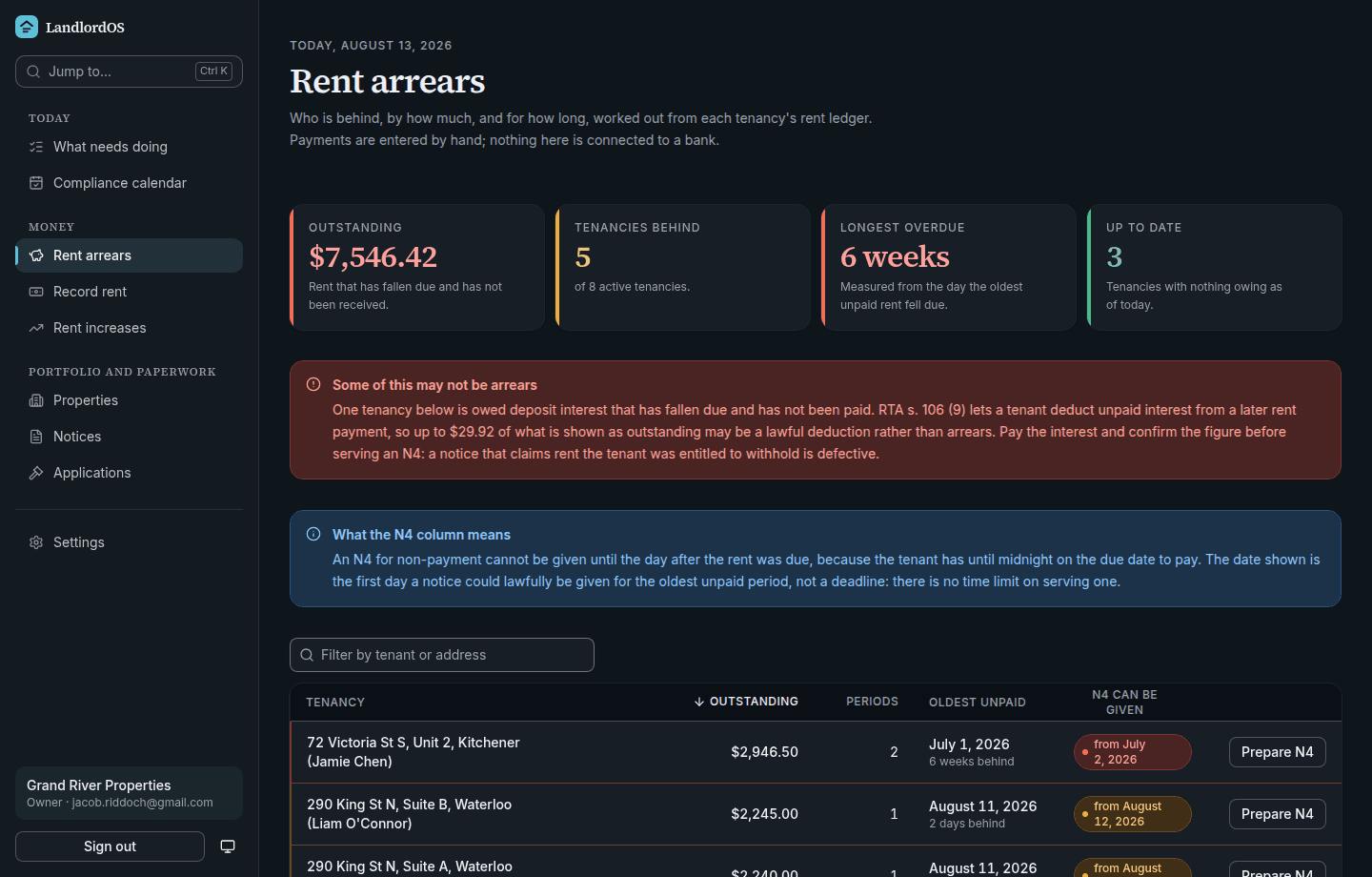
Who is behind, and what you can actually do about it
Outstanding, how many periods, how long, and the first day an N4 could lawfully be given. Payments are entered by hand: this app never touches a bank account and processes nothing.
The third row is the interesting one. That tenancy owes $85.00 for something that is not rent, so it reads "Rent is all paid, so no N4 applies". An N4 claims rent and only rent, and offering one on a key fob would produce a notice no application could be built on.
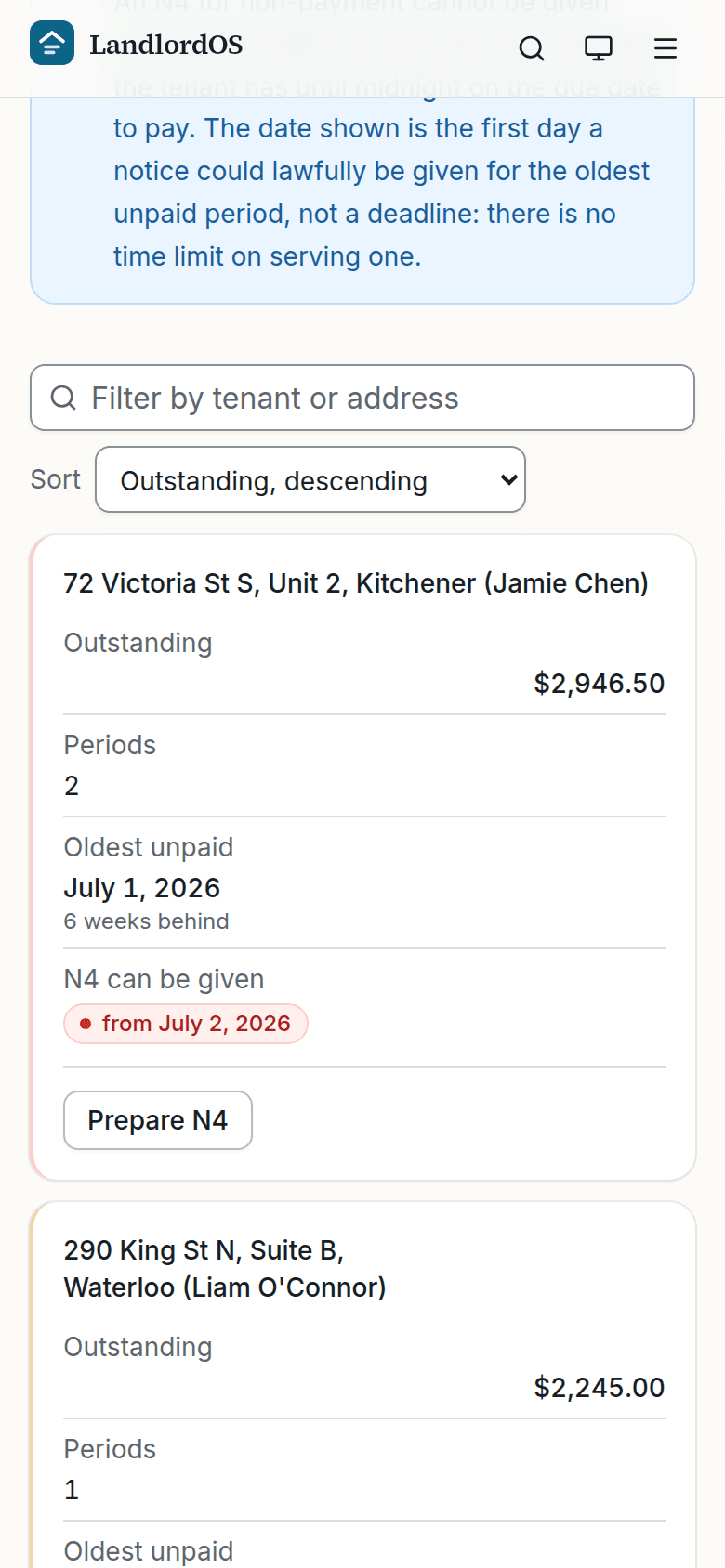
Rent arrears. Who is behind, by how much, and the first day an N4 could lawfully be given for it. Preparing the notice
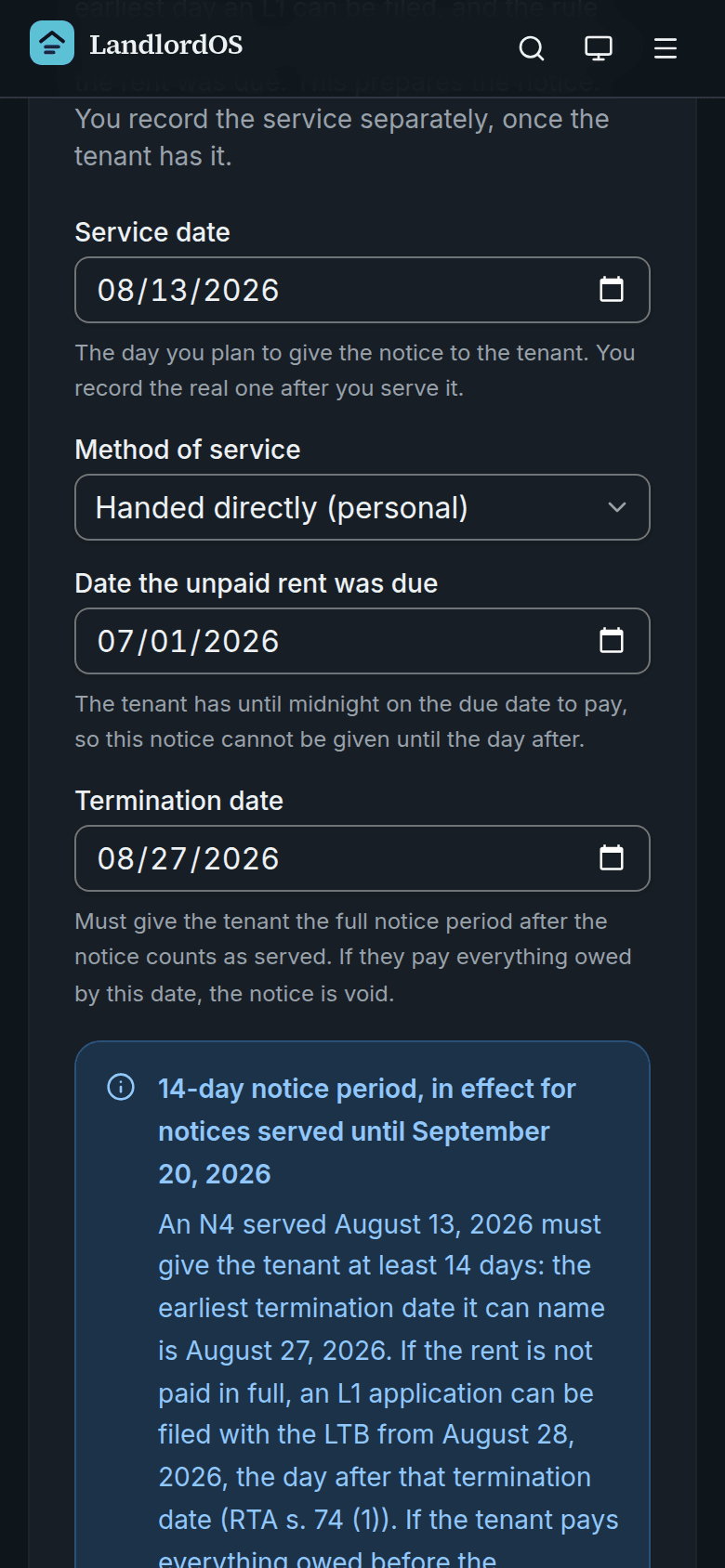
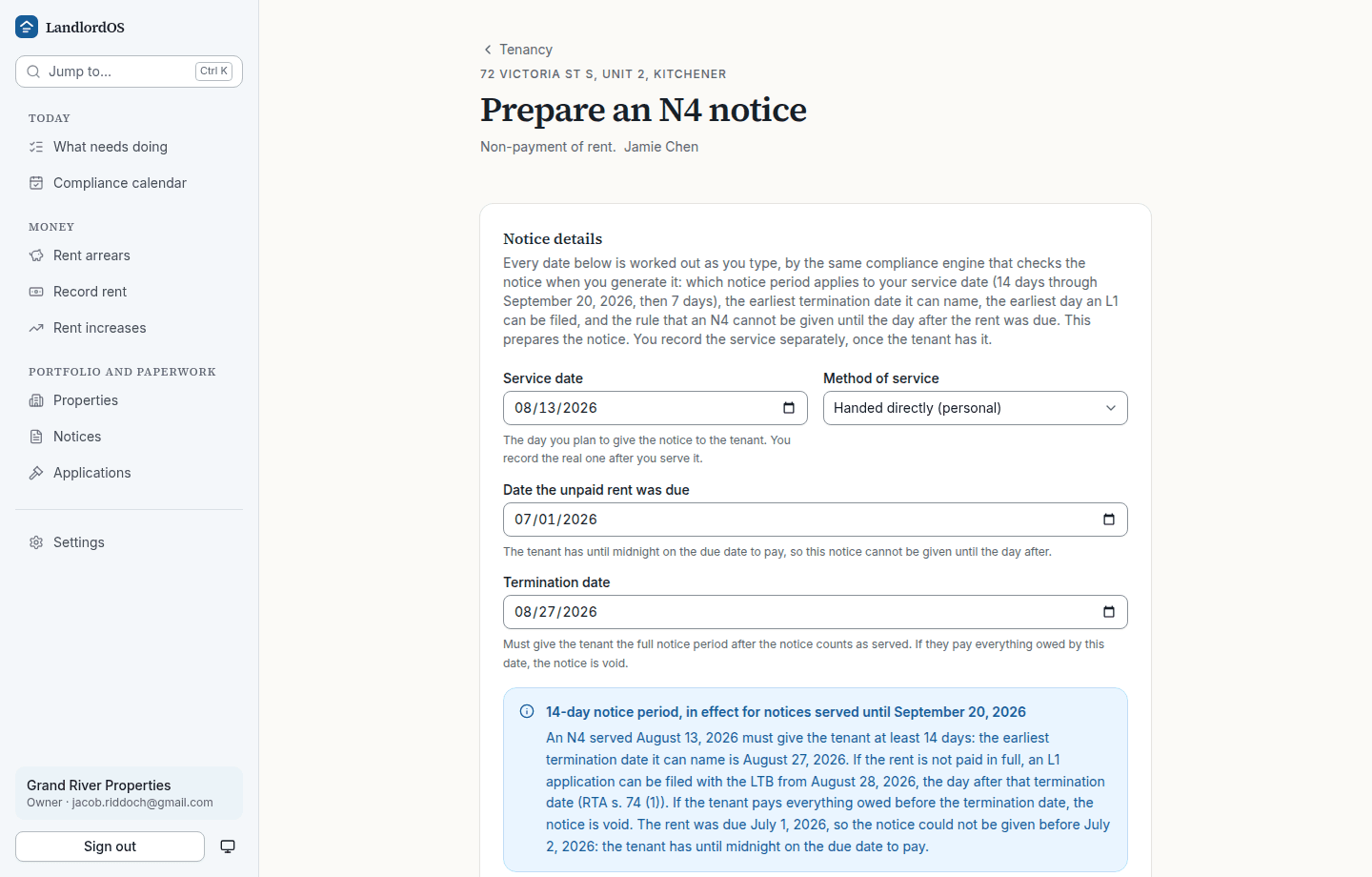
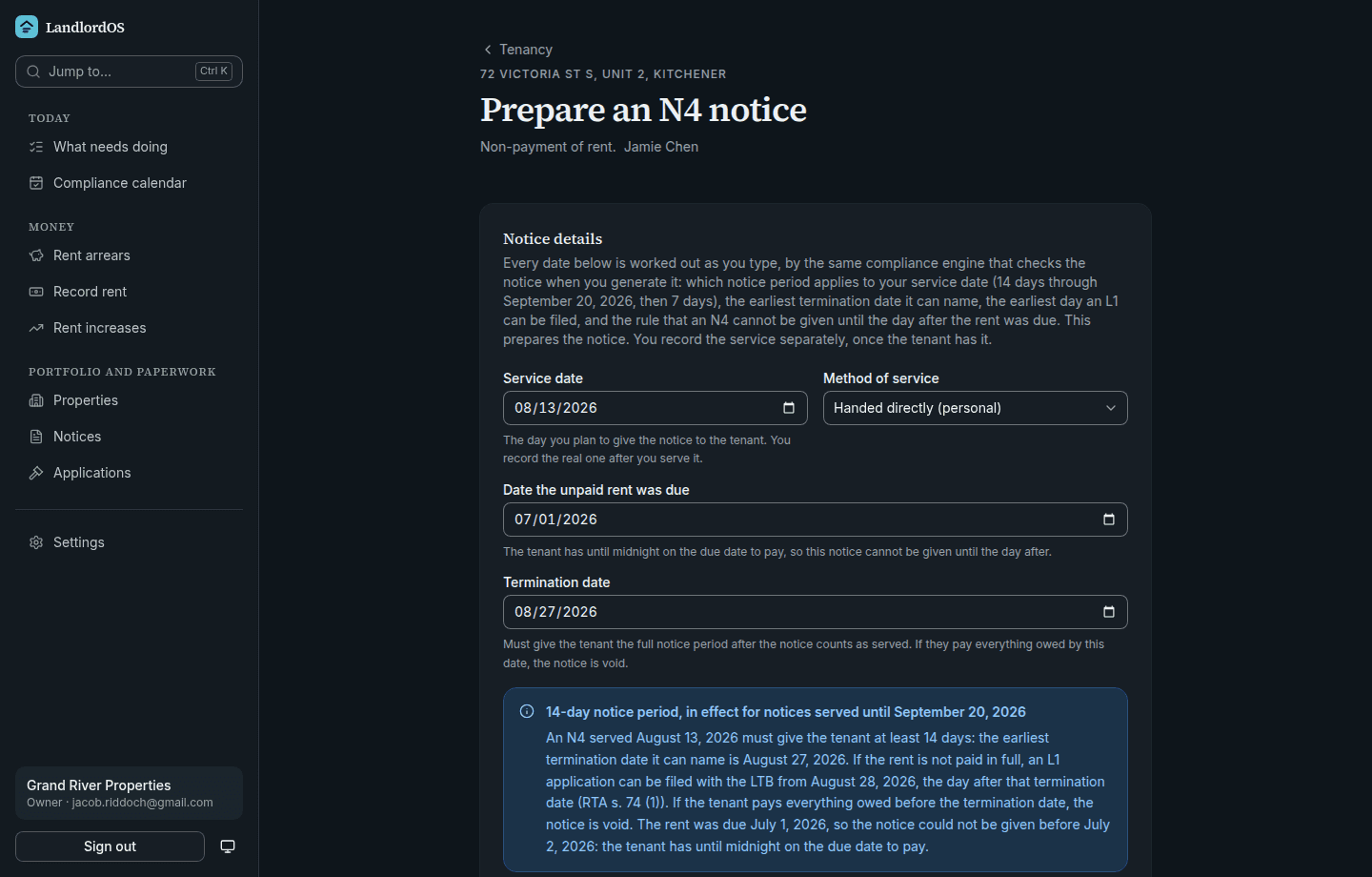
The engine works while you type
Change the service date, the method, or the date the rent was due, and the deemed service date, the earliest lawful termination date, the earliest day an L1 can be filed and the notice period description all move with it.
The panel is the product. It names the notice period that applies to this service date and says why, including the fact that an N4 cannot be given until the day after the rent was due, because the tenant has until midnight on the due date to pay. Anything the engine would refuse is refused beside the field, with a button that applies the date which would work.
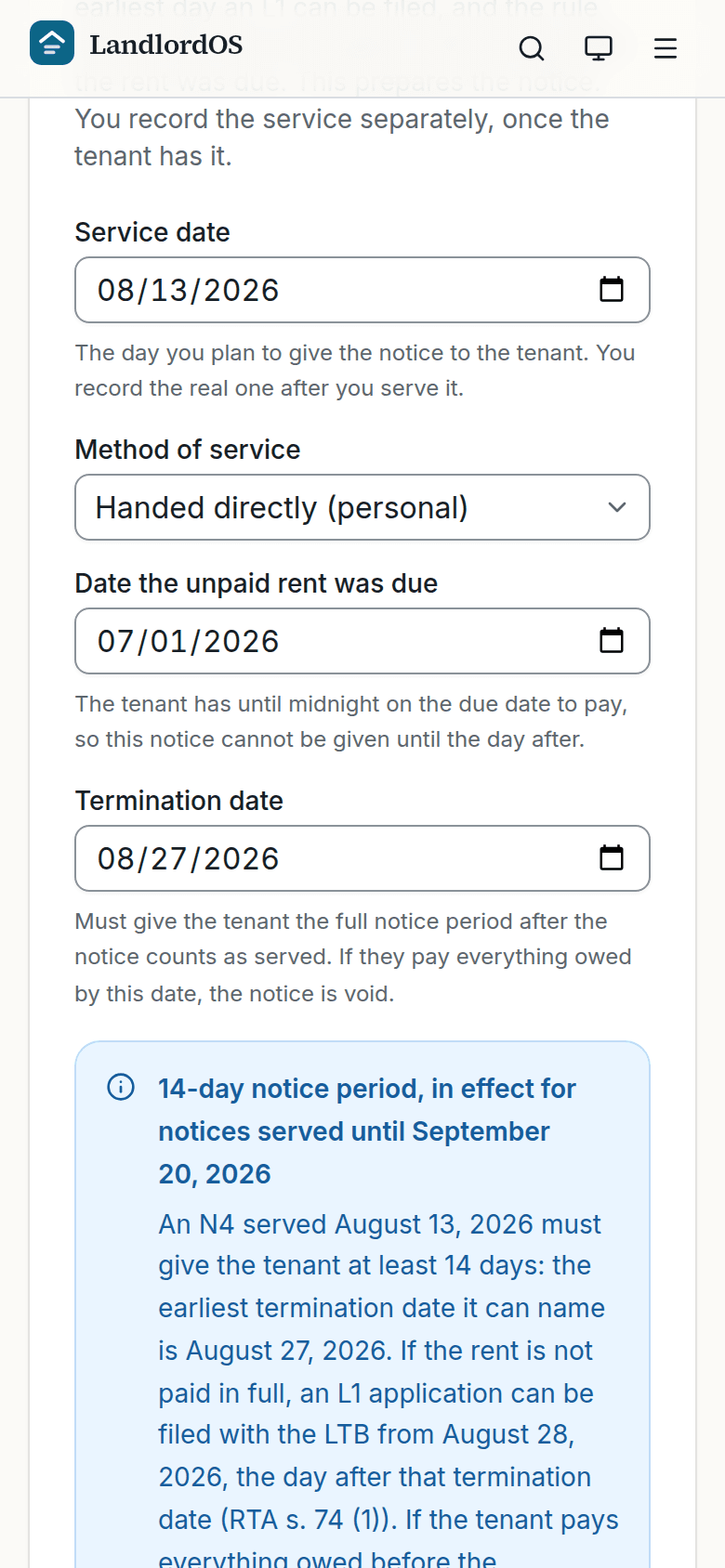
Prepare an N4. The engine recalculates while you type, and writes out which rule produced the date. After you generate it
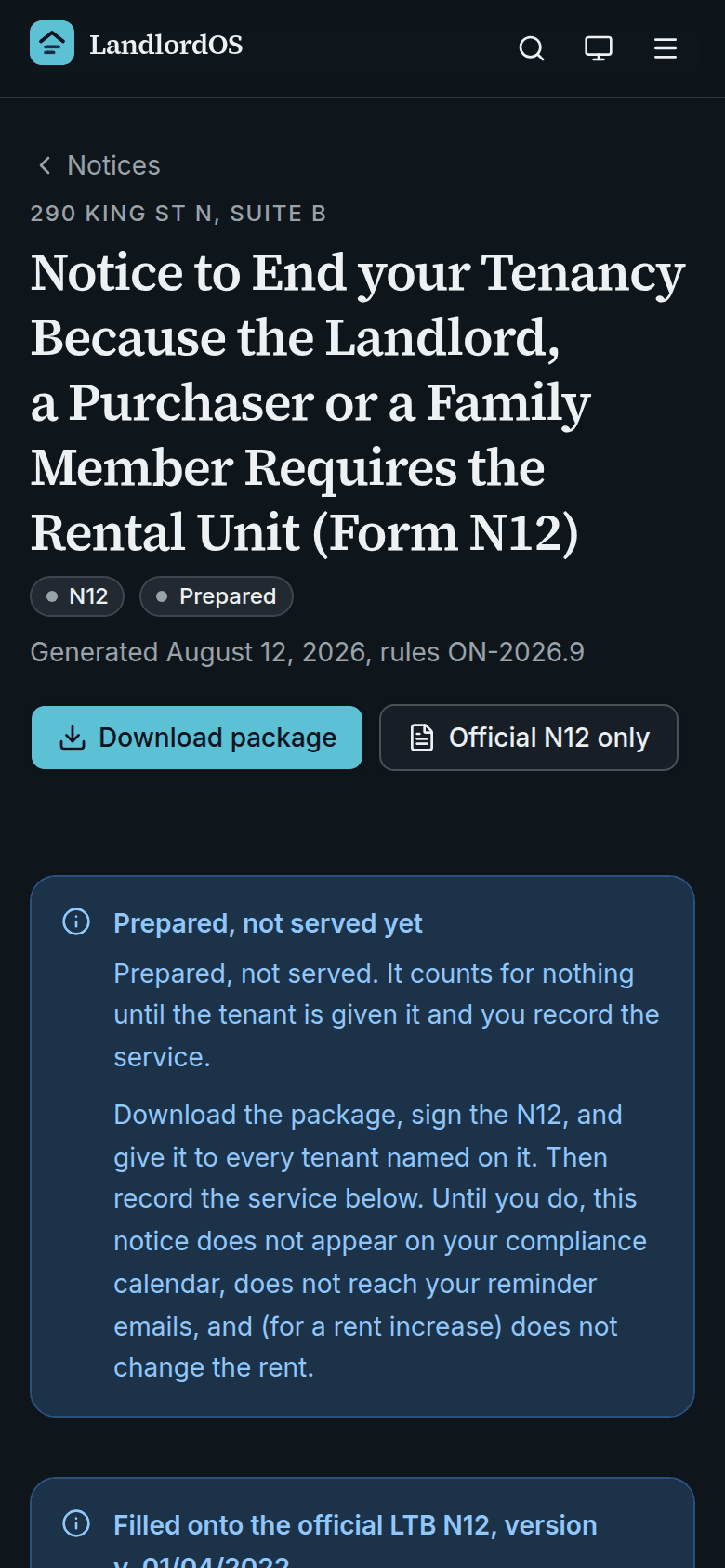
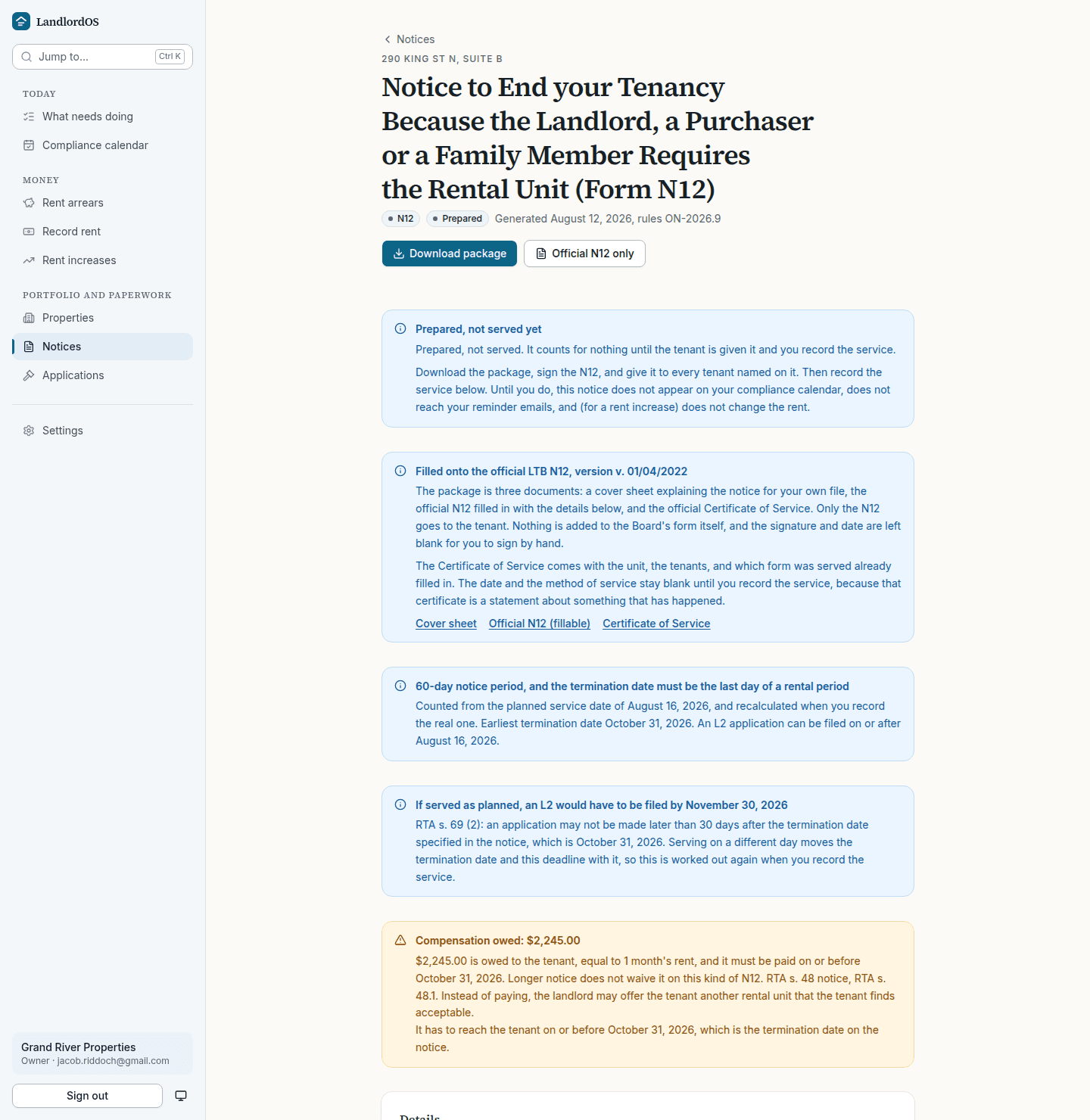
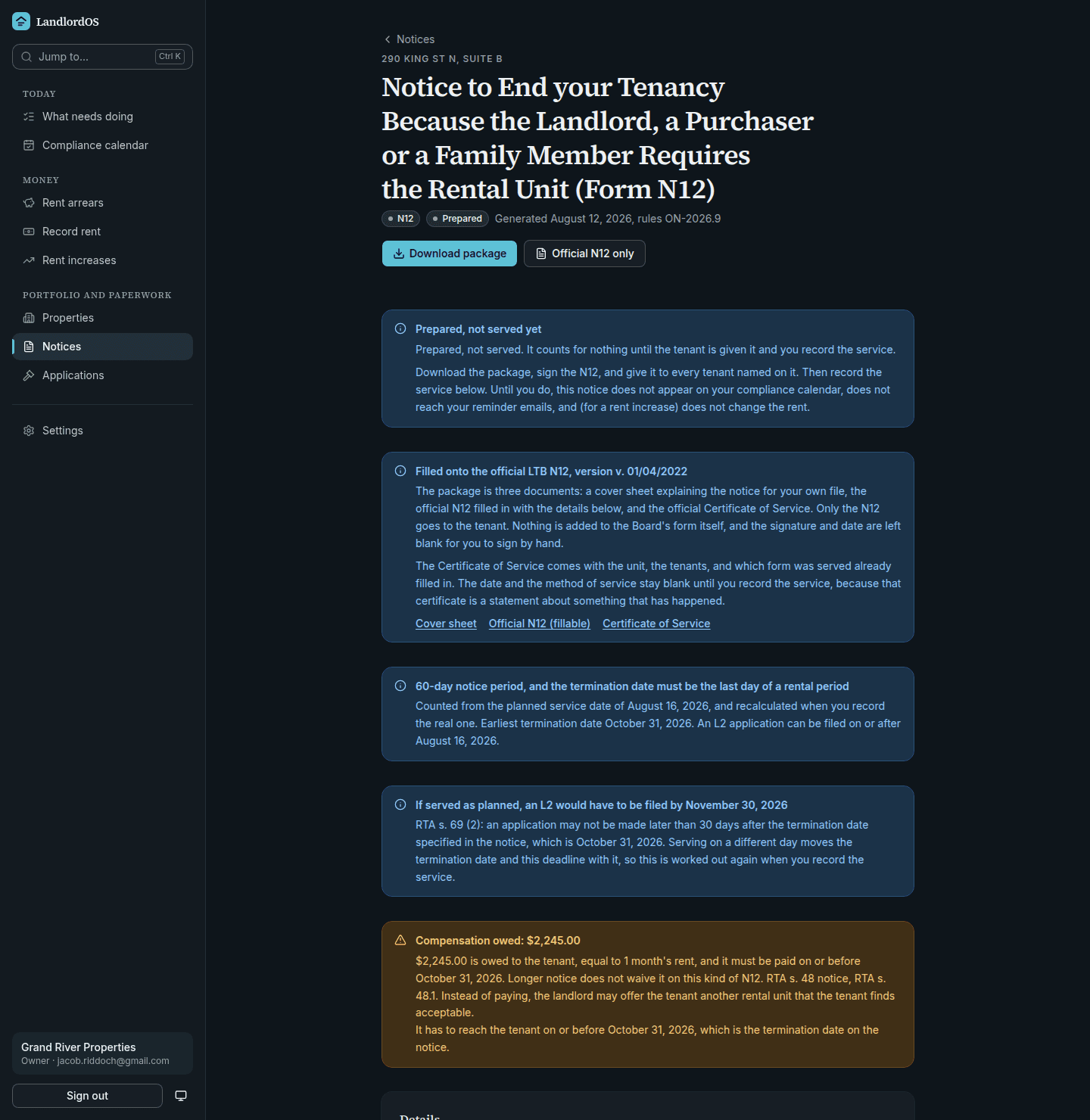
Prepared is not served
The notice is badged Prepared and stays that way until you record who handed it over, when, and how. Until then it does not appear on the compliance calendar, does not reach the reminder emails, and does not change the rent.
The download is three documents: a cover sheet for your file, the official Board form filled in, and the Certificate of Service. Nothing of ours is stamped on the Board's form, and the signature and its date are left blank to be signed by hand. The certificate keeps the date and method blank until the service is recorded, because it is a statement about something that has happened.
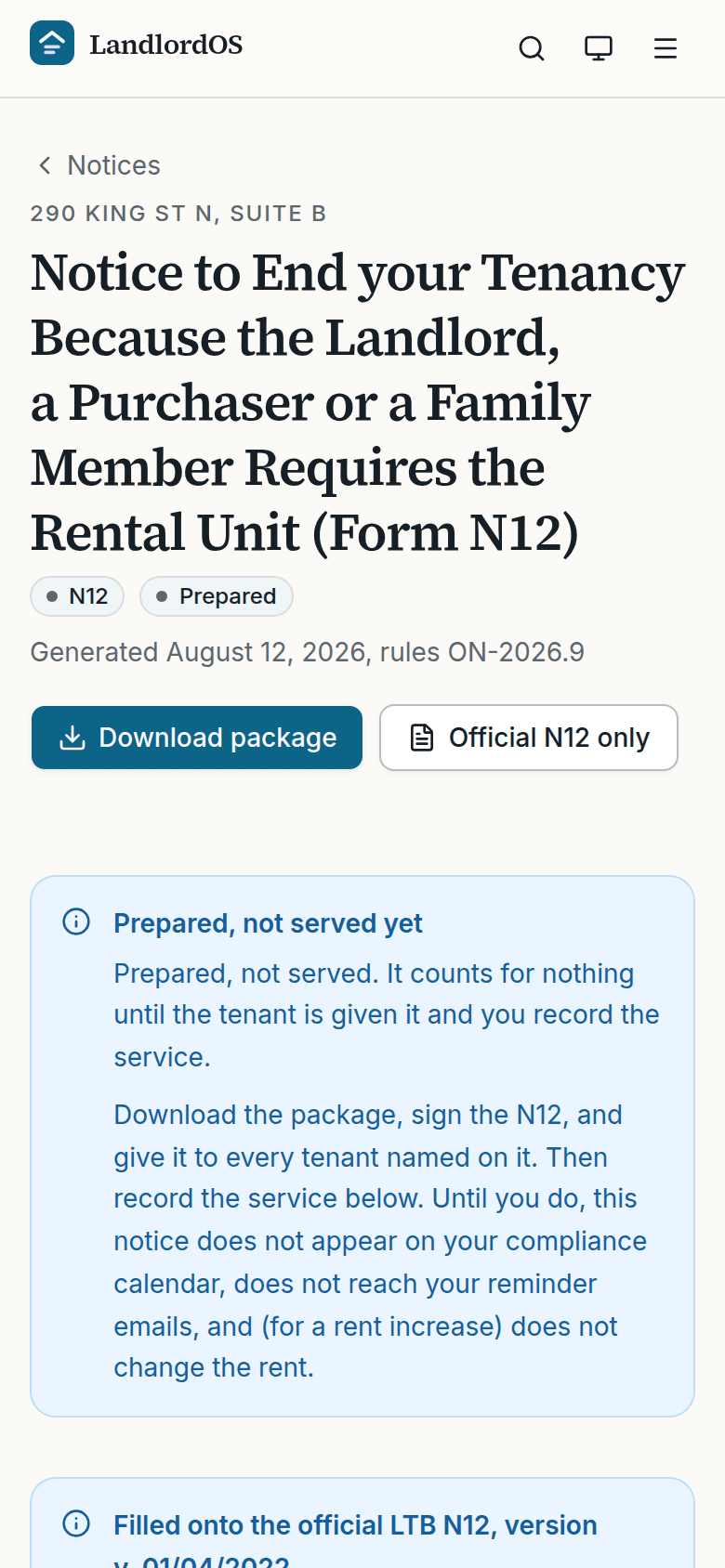
A prepared N12. Prepared is not served. Until the service is recorded the notice counts for nothing. Months later
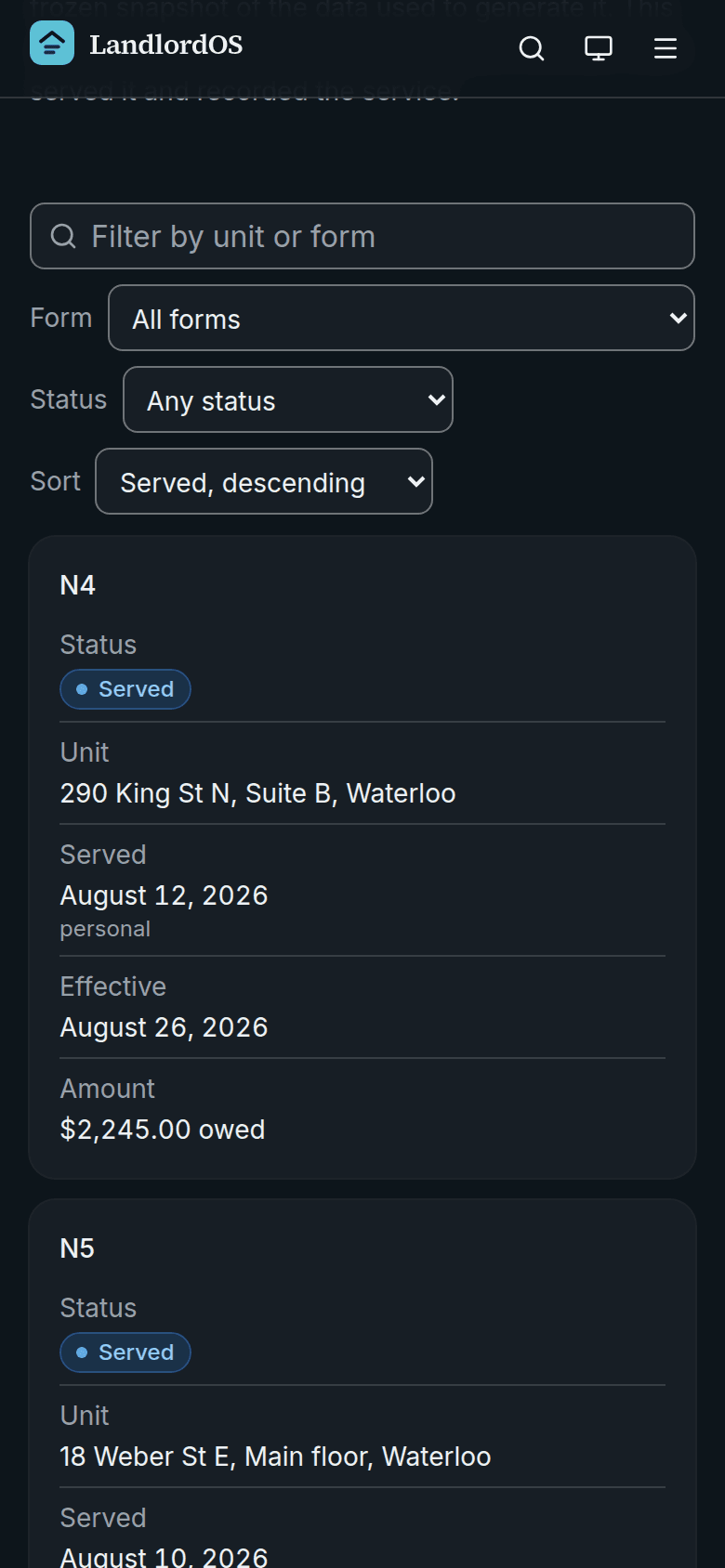
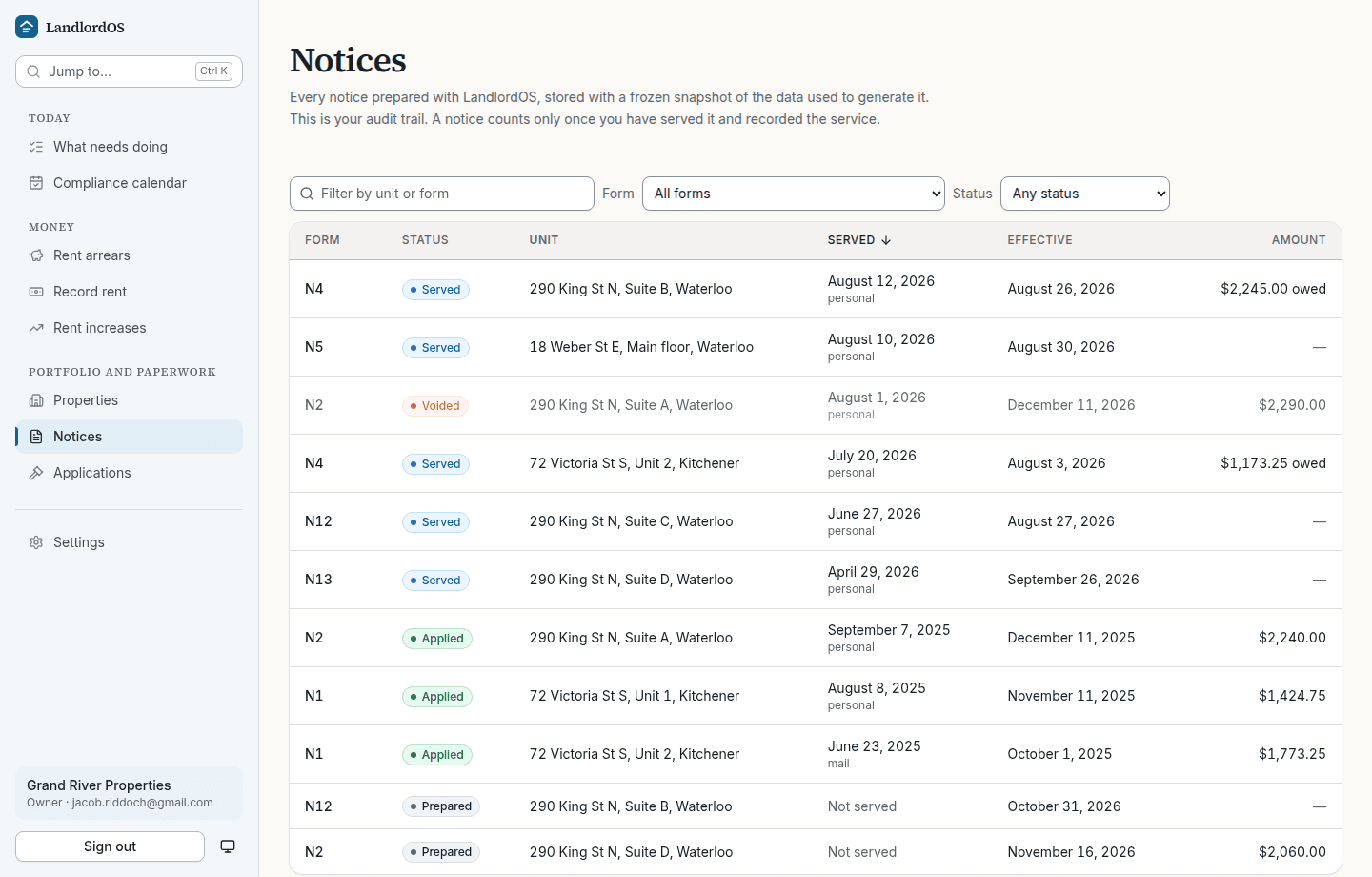
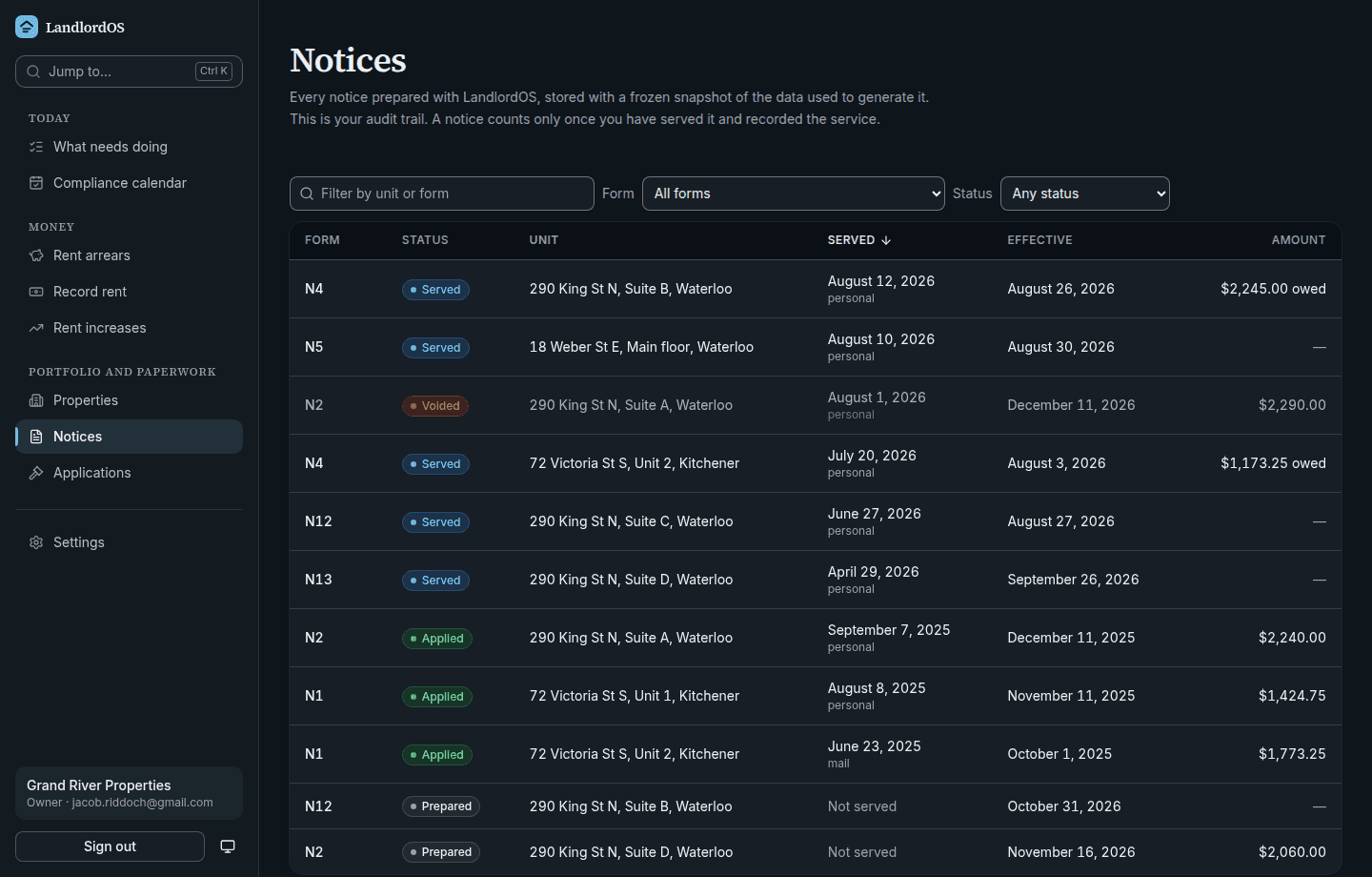
The audit trail, which is the part you will need
Every notice ever prepared, with its form type, its state, and the dates. This fictional portfolio carries N1, N2, N4, N5, N12 and N13 across prepared, served, applied and voided.
Behind each one is a frozen snapshot: the tenancy data used, the rules version it was computed under, the engine's verdict, and the checksum of the exact form version it was filled onto. Voiding a notice reverses whatever it changed and records why. Nothing is deleted.
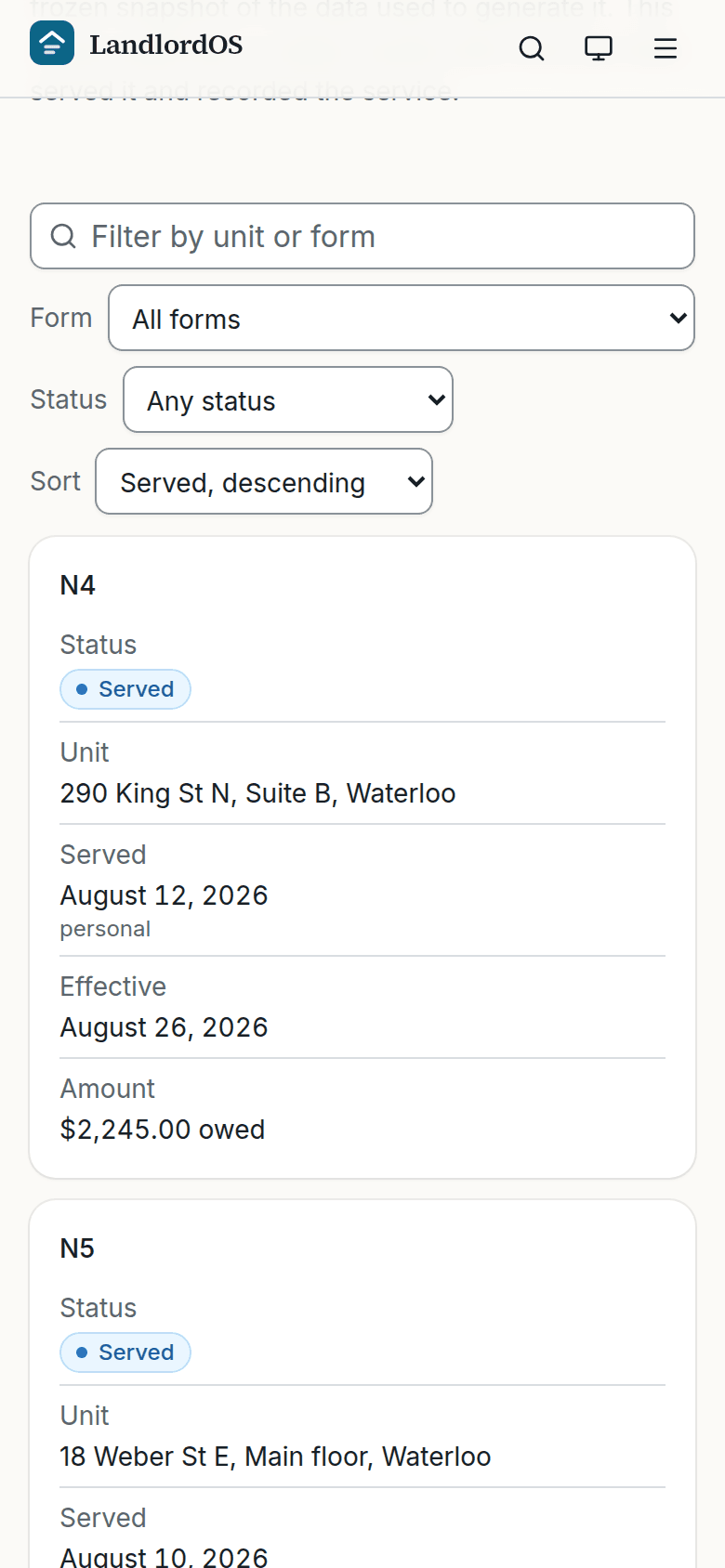
Notices. The audit trail: every notice, its form, its state, and the snapshot behind it. The money
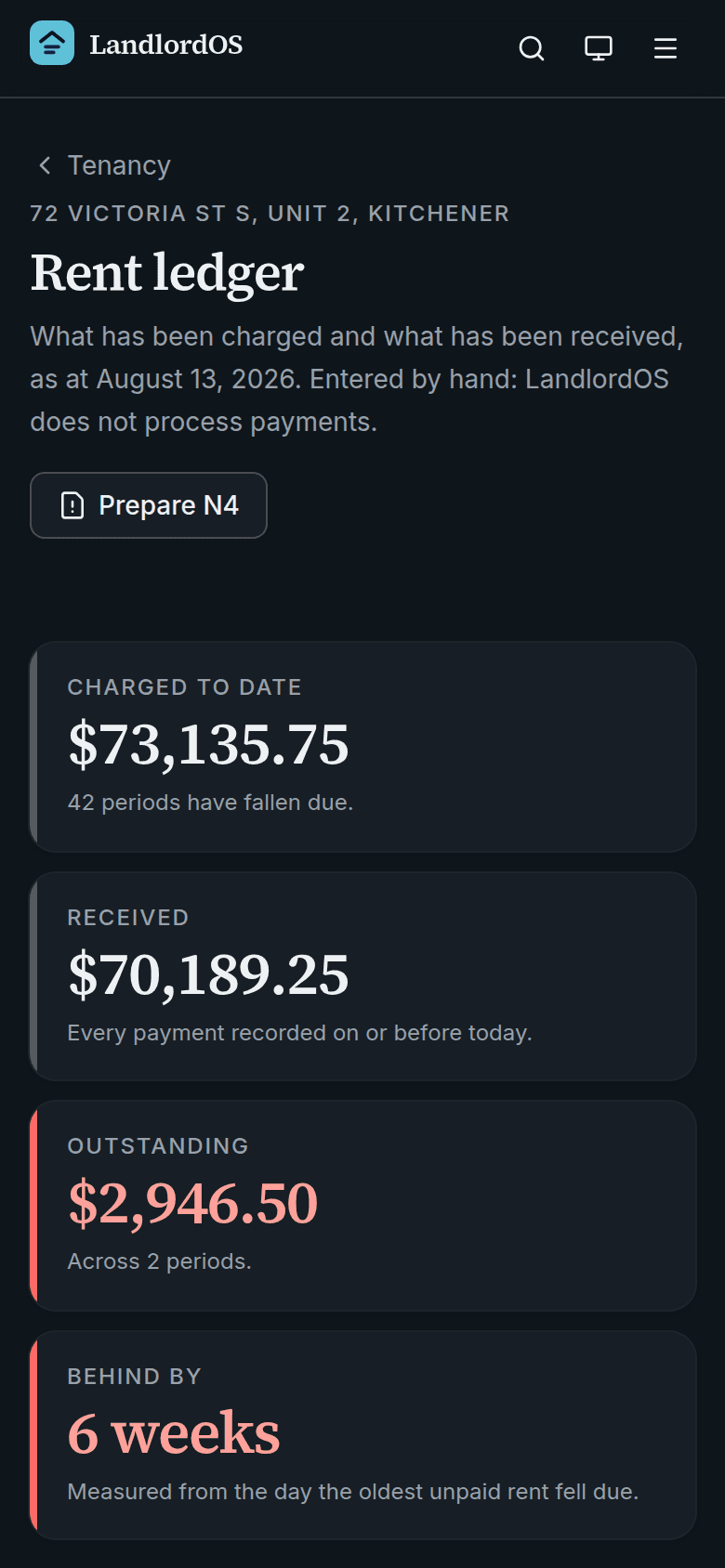
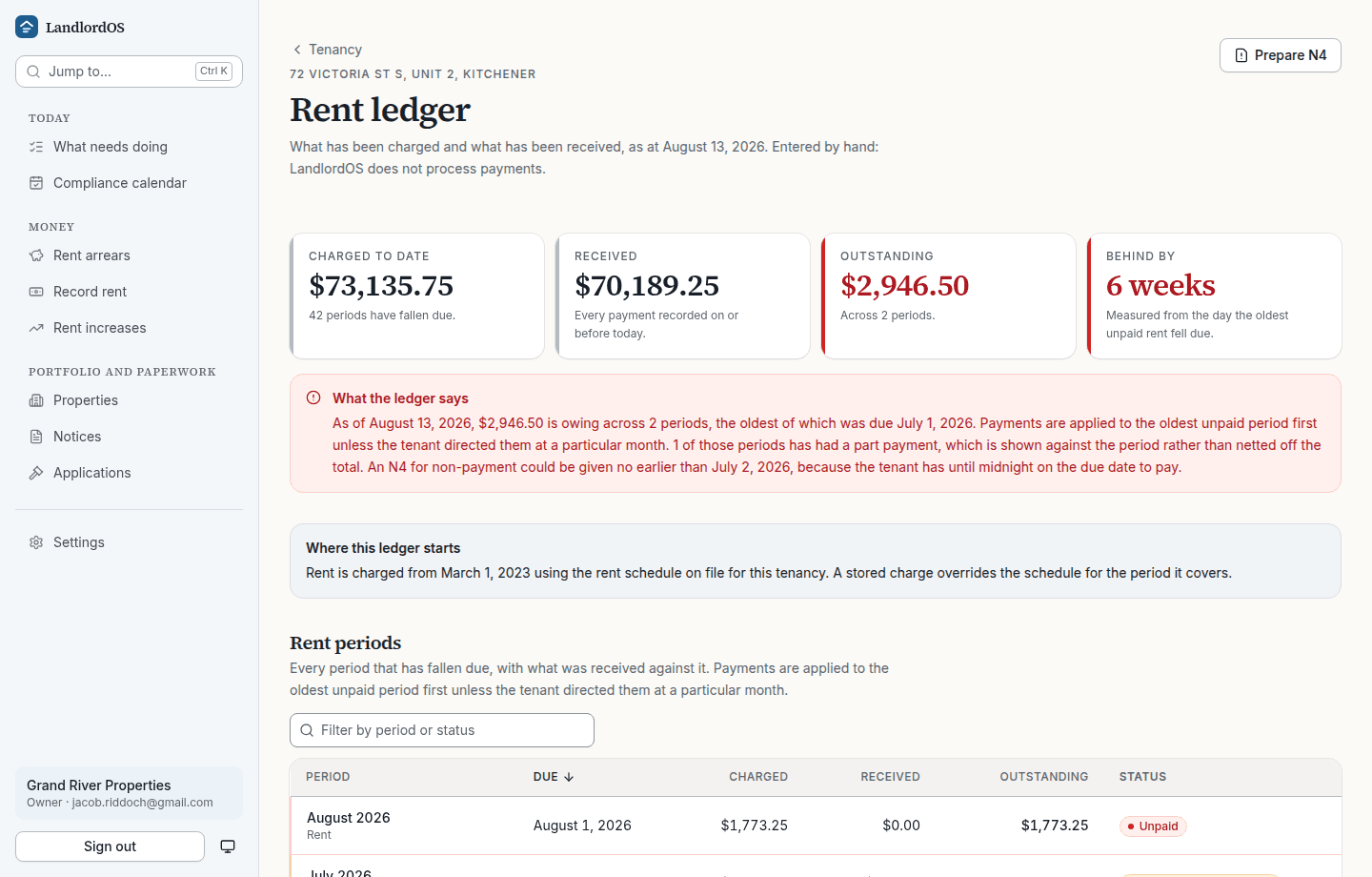
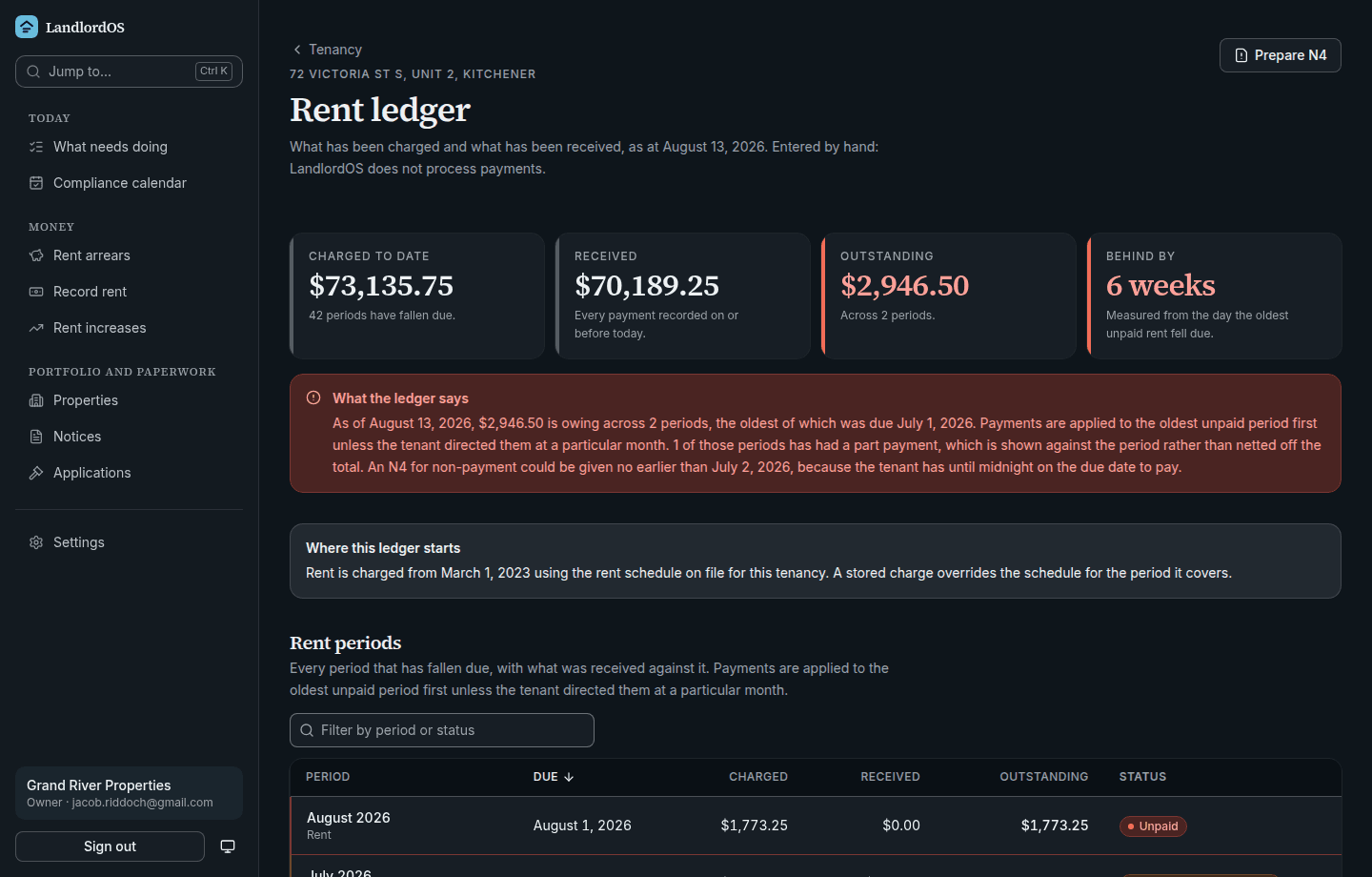
A rent ledger you can hand to someone
Charged, received, outstanding, period by period, with part payments shown against the period rather than netted off the total. The explanation says how payments were applied and which day the oldest unpaid rent fell due.
A rent receipt for any date range comes out of the same ledger. Under the Residential Tenancies Act a tenant can ask for one, free of charge, including for a year after the tenancy ends.
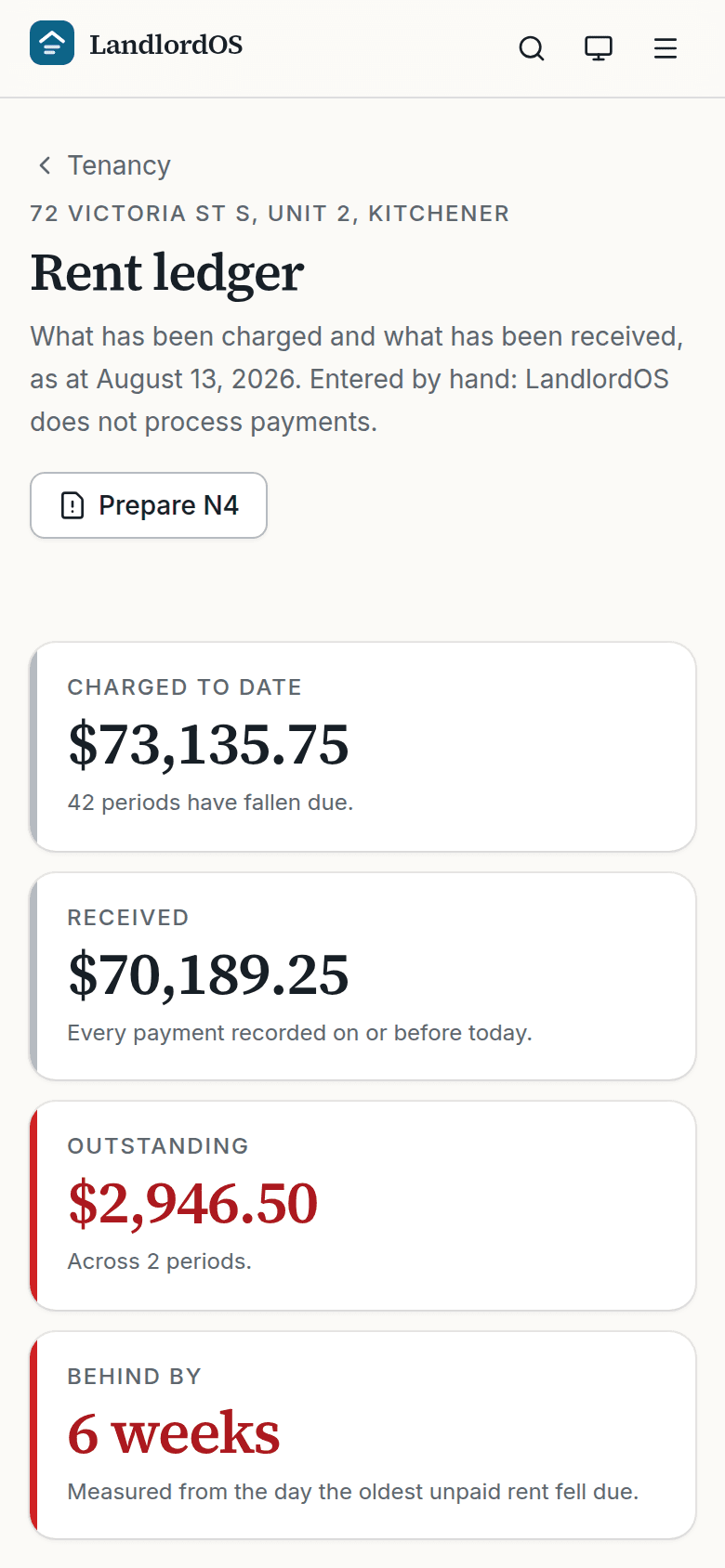
Rent ledger. Charged, received, outstanding, per period, with the arrears explained in a sentence.
What the tour does not show you
Settings, where you set the landlord details that go in the "From" box on every notice, invite people to your organization, turn on two-factor authentication, export everything you have stored as one file, and delete the account. The twelve month compliance calendar. The properties, units, and tenancies behind all of the above. None of them are secret, they are just less interesting than the six screens above.
What it fills, today: the N1, N2, N4, N5, N12 and N13 notices, and the L1, L2 and L3 applications to the Board. The other N forms are not built yet.
Things it does not do at all, which are worth knowing before you sign up: no document storage for a hearing bundle, no T776 or tax export, and it never collects rent. A bank connection can read one account to suggest deposits, and a person still has to agree to every one before it reaches the ledger.
Why there is no live demo to click through
A shared demo login would be an account that owns a real organization, so anyone signing in could delete the portfolio everyone else came to see. When there is a way to hand out a genuinely read-only account, there will be one here. Until then these are the real screens, and creating an account of your own takes a minute and costs nothing today.
Want to hear when it does more?
Leave an address and we will write when an Ontario rule changes in a way that costs landlords money, and when the product does something it did not do before. Nothing else.